
Apple CarPlay Gains Better Playback, Navigation and Siri
The latest Apple CarPlay update introduces precise media scrubbing, refreshed visuals, improved GPS and Bluetooth behavior, and a more capable English-language Siri beta.
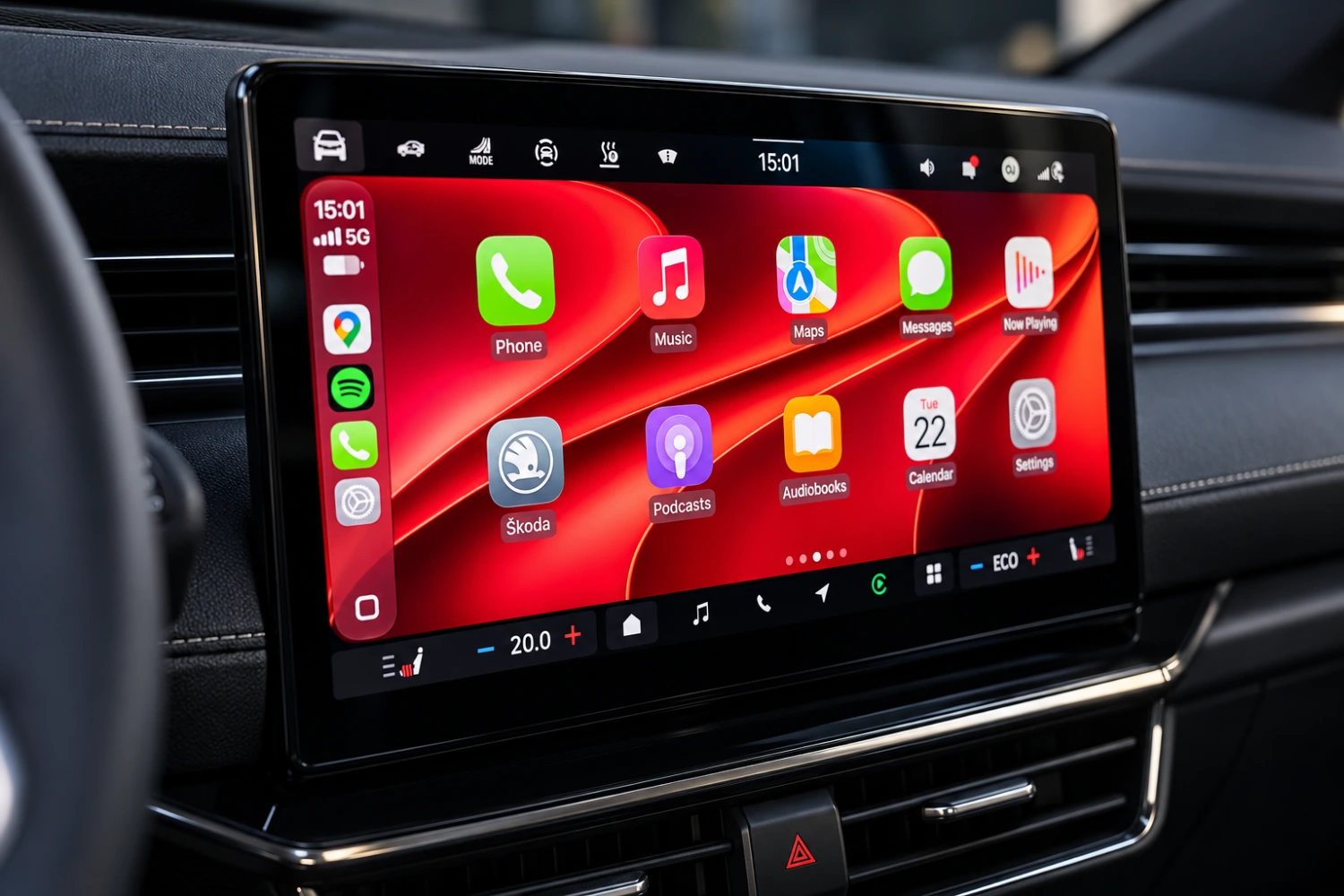
Apple CarPlay is receiving a substantial update alongside iOS 27, bringing practical changes to media playback, navigation, connectivity and voice control. The redesigned experience is also rolling out beyond the newest iPhones, with support extending back to the iPhone 11 and iPhone SE.
Media playback finally gets precise scrubbing
One of the most immediately useful additions is the ability to move directly through a song or podcast using an on-screen progress bar. Drivers and passengers can drag the slider forward or backward to reach a specific point instead of relying only on fixed skip controls, such as jumping ahead by 30 seconds.
The feature works in Apple Music and Apple Podcasts, and it is also supported in third-party services such as Spotify. That makes the change broader than a simple redesign of Apple’s own media apps and addresses a longstanding limitation in CarPlay’s playback interface.
Apple Music and Apple Podcasts have received further layout changes. A compact player can now appear in the upper-right corner, depending on the size of the vehicle’s display. It shows the current content and remaining playback time while the user continues browsing for another song or episode. New category controls are also intended to make navigating a library easier from the dashboard screen.
A refreshed interface with clearer icons
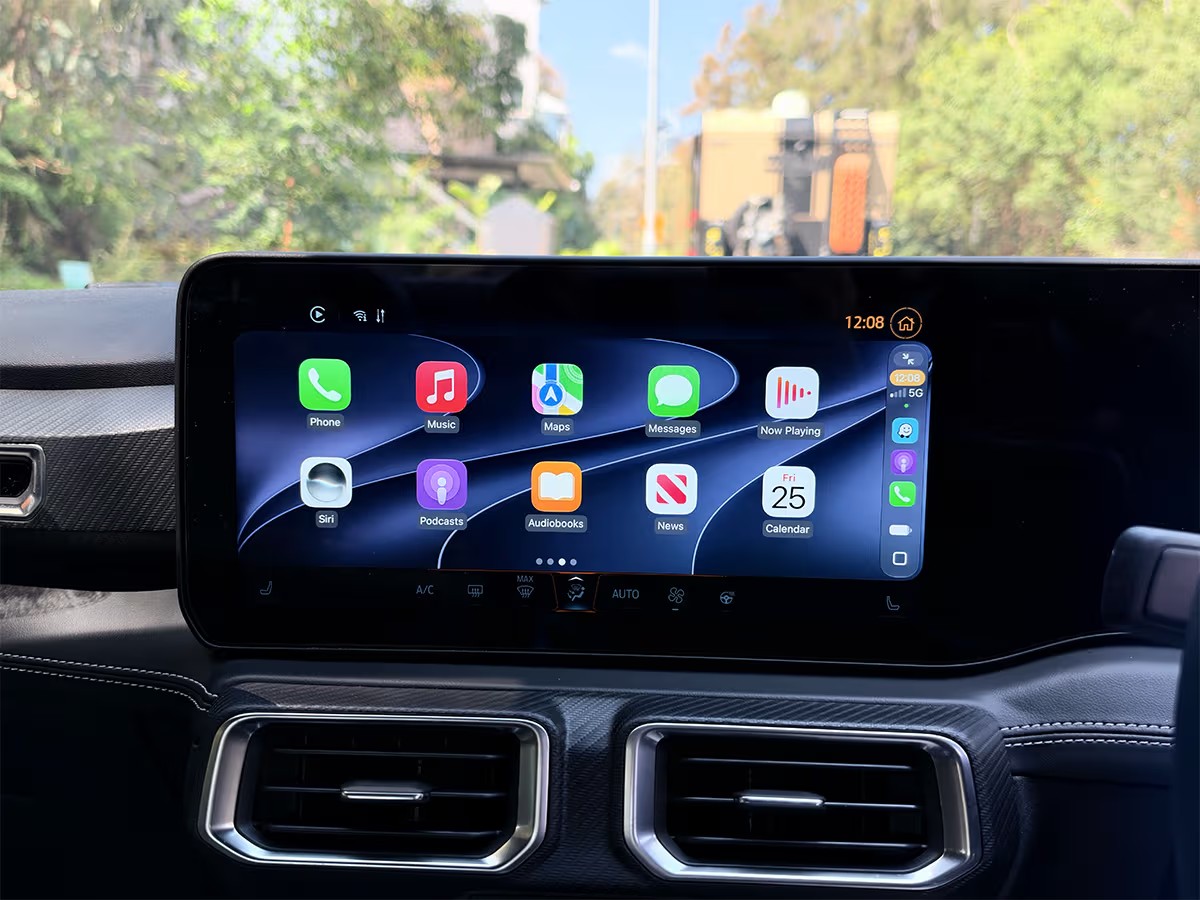
Apple has added new wallpaper choices to CarPlay, giving users another way to customize the dashboard interface. The available designs introduce updated patterns and colors without fundamentally changing how the system is organized. Wallpapers remain accessible through the settings menu on the CarPlay display.
Several application and system icons have also been revised to match the more rounded, glass-like visual style used elsewhere in iOS. The updated battery indicator is designed to be easier to read at a glance, while the broader icon changes give the dashboard a more consistent appearance alongside the connected iPhone.
The changes are primarily visual, but readability remains important in an interface intended for use inside a vehicle. Apple has retained a relatively uncluttered layout rather than filling the screen with additional information.
GPS and Bluetooth improvements work behind the scenes
Some of the more consequential updates are not visible in the interface. CarPlay’s communication with the connected iPhone has been revised to improve connection reliability, addressing situations in which a vehicle fails to recognize a nearby phone or refuses to complete a wireless connection.
Audio synchronization over a vehicle’s sound system has also improved when video is playing on the iPhone. This is intended to reduce the delay between the image shown on the handset and the sound delivered through the car’s speakers.
Apple has also refined GPS behavior. Navigation systems can occasionally place a vehicle away from the road it is actually traveling on, particularly when location data becomes unreliable. The update is designed to keep the mapped position aligned more accurately with the road and reduce instances in which the navigation marker incorrectly appears beside a highway or in a nearby area.
Siri’s AI upgrade arrives first in English
CarPlay is gaining access to an updated Siri experience powered by Apple’s newer artificial intelligence capabilities. Activating the assistant produces a revised visual effect around the edges of the CarPlay screen, making the new interface easy to distinguish from the previous version.
The beta assistant is designed to handle more natural conversations and provide responses based on relevant context. One supported use described for the update involves asking Siri about an active parking session that was started through a third-party app. The assistant can retrieve the remaining time without requiring the user to open the app manually.
The upgraded Siri experience is initially available in English and remains in beta. Users who want to interact with the new assistant in other languages will need to wait for broader language support. The general CarPlay update reaches older compatible iPhones, but availability of AI functions may depend on the requirements of Apple’s intelligence platform.
Parked video playback needs automaker support
One of the update’s largest additions will not be immediately usable. CarPlay is being prepared to support video playback while a vehicle is parked, potentially allowing compatible streaming services to appear on the infotainment display when the car is stationary.
The feature requires the automaker to provide CarPlay with vehicle information confirming that the car is fully stopped. Manufacturers must therefore release compatible software before parked video can operate. Carmakers have not yet activated the necessary support, so the option remains unavailable in practice.
There are also hardware requirements. The vehicle must have a display with a resolution of at least 1920 x 1080 pixels, support for the H.265 or HEVC video codec, and an infotainment system equipped with at least 4 GB of memory. These requirements mean the feature will not necessarily become available in every CarPlay-compatible vehicle, even after automakers begin releasing updates.
The iOS 27 CarPlay update focuses on everyday usability rather than a complete reinvention. Better playback controls, refreshed visuals, improved connections and more accurate navigation should be noticeable immediately, while the upgraded Siri and parked-video support point toward a more capable in-car platform as language and vehicle compatibility expand.
Related Stories
 auto
auto
Connected Cars Face New Scrutiny Over Driver Data Sales
The modern car is increasingly a rolling data device, and regulators are beginning to examine how much information automakers…
 auto
auto
Audi Nuvolari Debuts as a 1001-HP Plug-In Hybrid Hypercar
Audi has introduced the Nuvolari, a plug-in hybrid hypercar positioned as the most powerful and fastest road car in…
 auto
auto
Mercedes Unveils Vision Iconic Concept – A Futuristic Maybach Coupe with Solar Power and Level 4 Autonomy
In 2016, the Vision Mercedes-Maybach 6 concept coupe debuted, followed a year later by a similar convertible. Unfortunately, neither…
 auto
auto
2025 Tesla Model Y Performance Debuts in Europe with 627 HP, 3.5s 0–100 km/h and 580 km Range
The Tesla Model Y electric crossover is gradually losing its former popularity, and the restyling carried out at the beginning of the…
 auto
auto
2025 Peugeot 308 Facelift: New Design, Hybrid Upgrades & More Range
Four years have passed since the debut of the third generation Peugeot 308 family. Now it's time for the traditional mid-life…
 auto
auto
New Audi Q3 Sportback 2025 unveiled: Stylish coupe-SUV with hybrid option and upgraded tech
The compact crossover Audi Q3 entered its third generation quite recently: the basic version was presented in June. But since 2019,…
 auto
auto
Voyah Taishan Flagship 3-Row Electric Crossover with Huawei ADS 4.0 Unveiled in China
Large three-row crossovers are gaining popularity in China, and Dongfeng has prepared such a model for its most prestigious brand,…
 auto
auto
Bugatti Brouillard: one car, 1600 horsepower and a price tag for billionaires
While most automakers talk about electric future plans and the phasing out of the combustion engine, Bugatti is doing…
 auto
auto
HONGQI Unveils Tiangong 05: A New Era of Autonomous Driving
Chinese luxury brand HONGQI has now launched its new model Tiangong 05, marking a breakthrough in autonomous driving. With…